

Sessions
A session is a folder plus a terminal. It runs your login shell unless you give it a command, and it can type startup commands into the shell once it’s ready. Every session has a name, unique within its folder: Rakumux generates one when you create a session in the UI, and you can rename it at any time. A session is usually where a coding agent runs, but it can hold anything that runs in a terminal: a dev server, a test watcher,nvim, a shell.
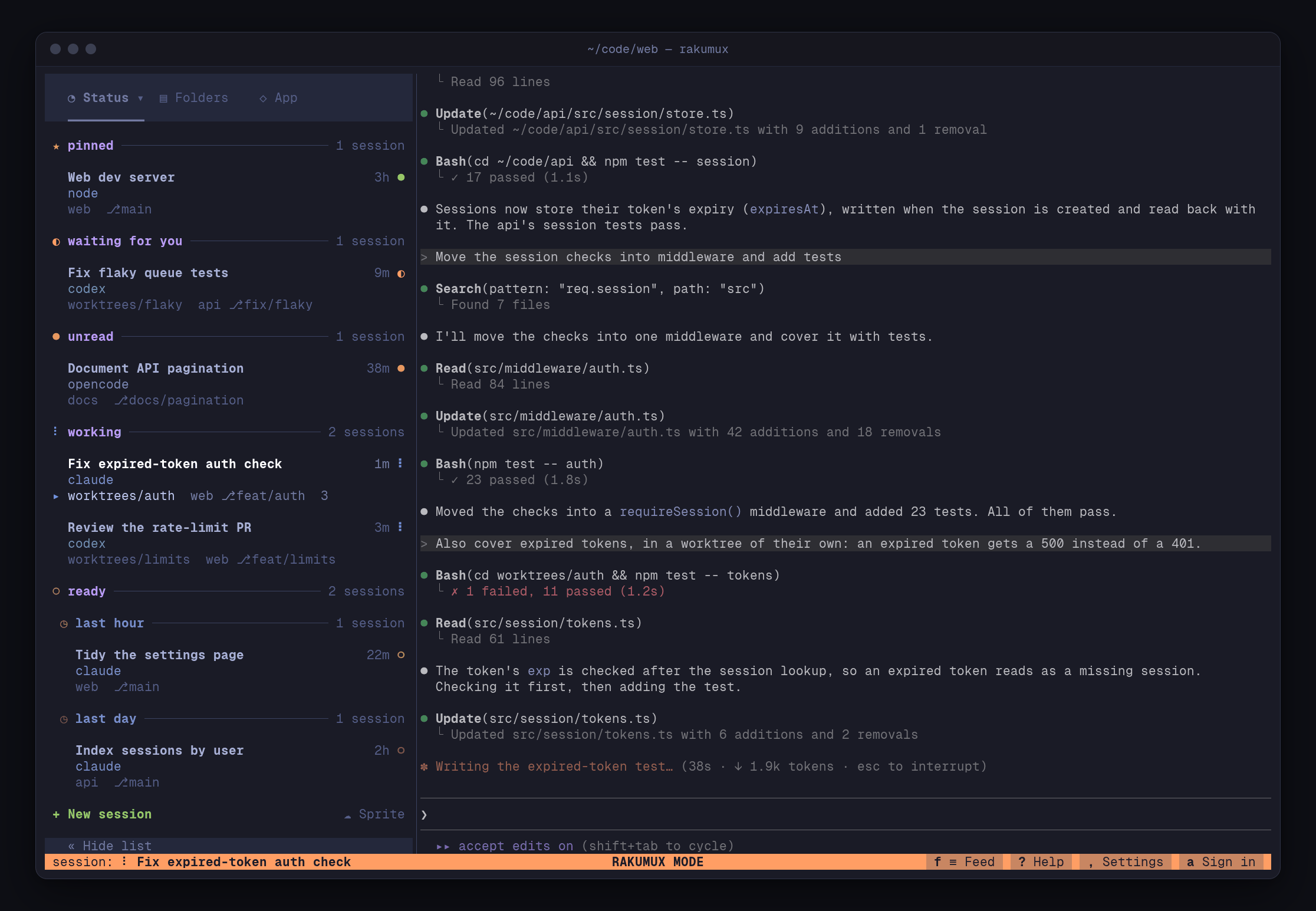
Folders and worktrees
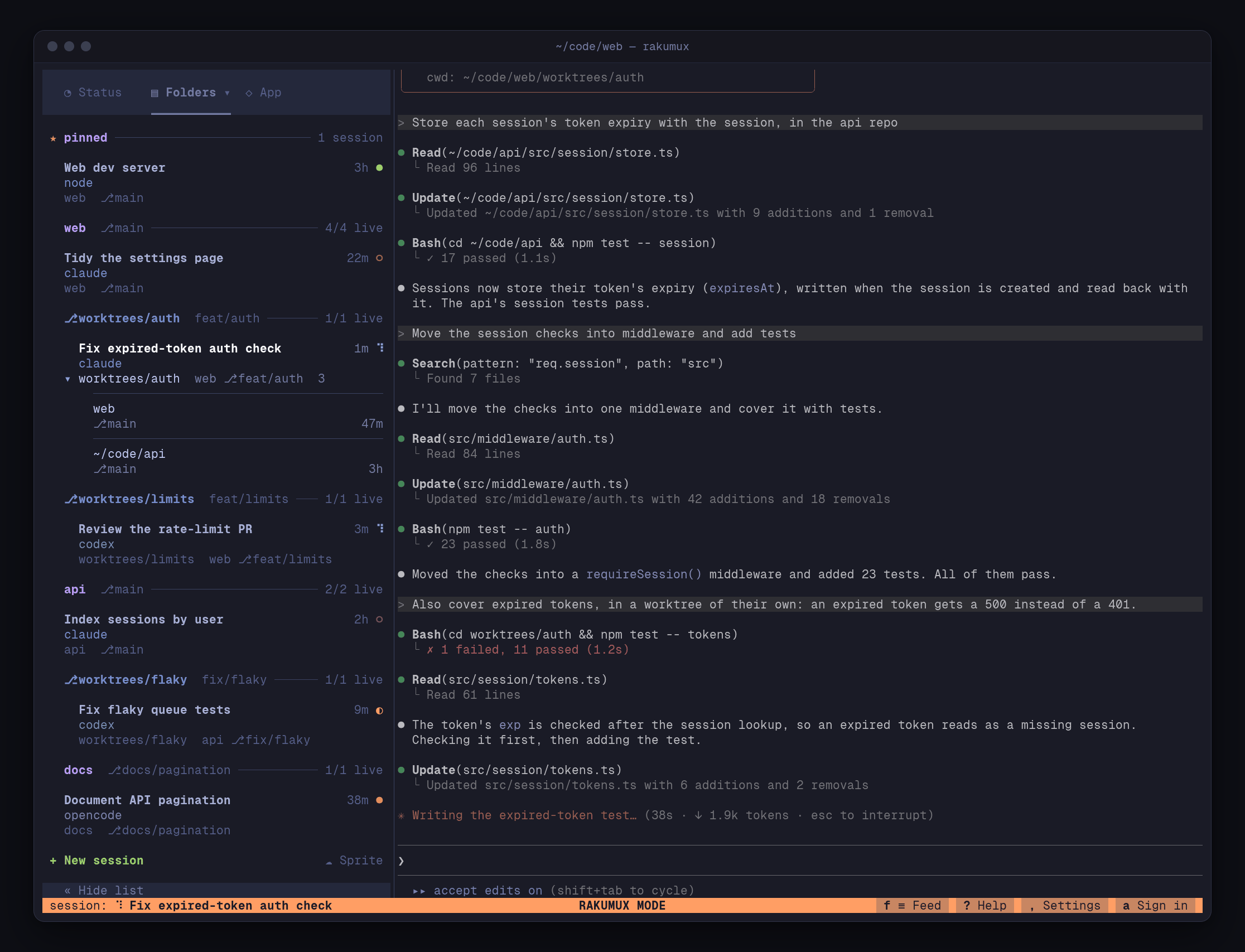
Every session belongs to the folder it was started in: a git repository, a git worktree or any other directory (with symlinks resolved). A folder holds any number of sessions, and if youcd
somewhere else inside a session later, it still belongs to its folder.
Rakumux reads each session’s git branch from the repository’s files, and when an agent works in a
linked git worktree, the session follows it: it’s listed under that worktree’s own header in its
folder, and moves when the agent changes worktree. Rakumux never runs git, and never creates or
switches worktrees itself.
Each session also remembers its places: the git checkouts and worktrees where its agent changed
files, read from the agent’s own conversation. The list shows where the session works now under its
name, and the others on request (w); see where each session has worked.
One server, many windows
A single background server,rakumux-ptyd, owns every session for your user on a machine. Each
Rakumux window, every rakumux command, rakumux attach, the HTTP API, the MCP server and the phone
app are clients of that server.
- Rakumux connects to the running server from any login (a local terminal, SSH, mosh, your phone) and starts one only when none runs.
- Run Rakumux in as many terminals as you like: they show the same sessions and stay in step.
- Quitting Rakumux never stops sessions.
rakumux daemon stopstops the server and ends every session. - Restarting the server (
Sin Rakumux mode, orrakumux daemon restart) happens in place: every program keeps running, and windows reconnect by themselves.
Two modes
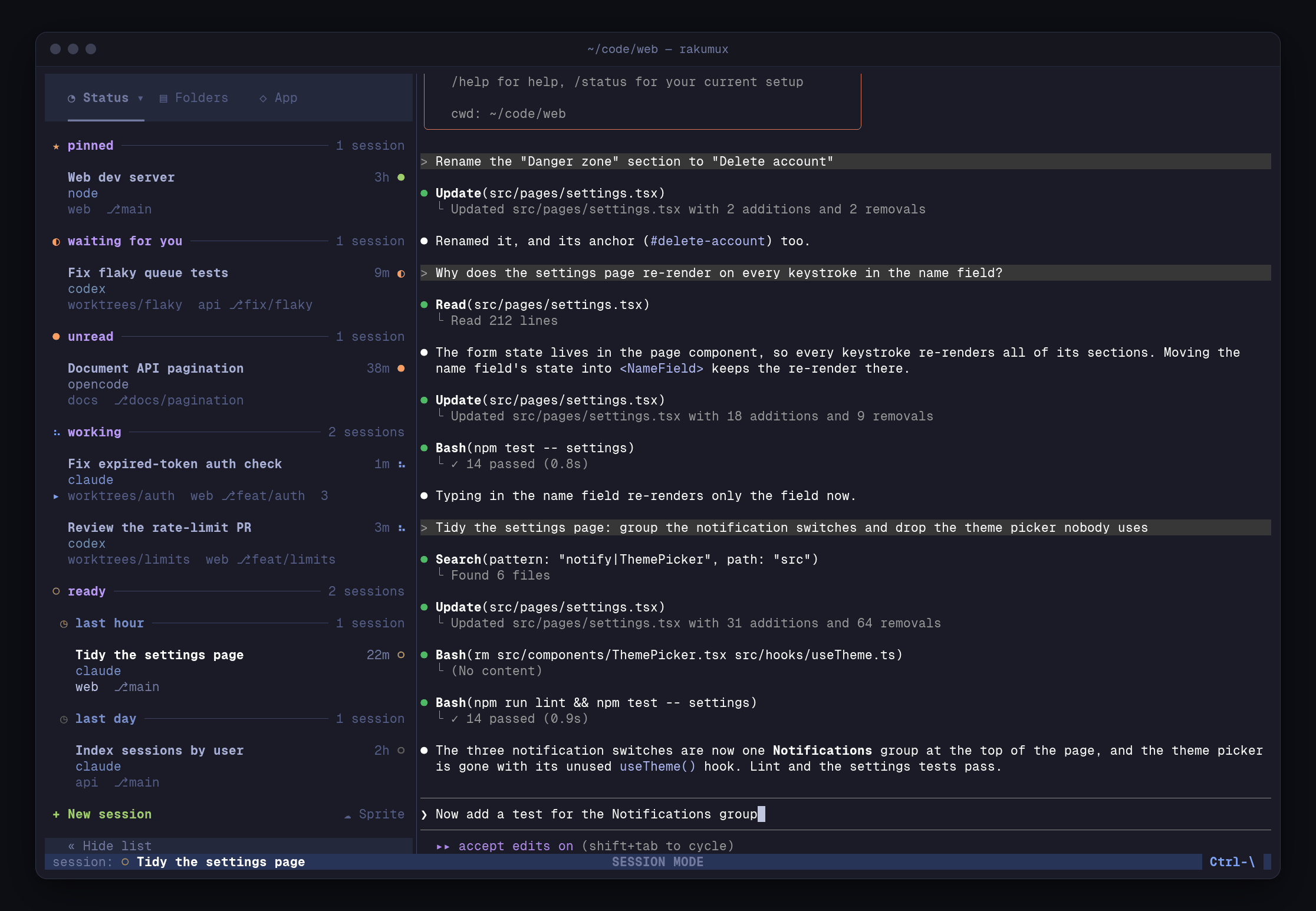
In session mode your keys go to the program in the session, all of them exceptCtrl-\, the
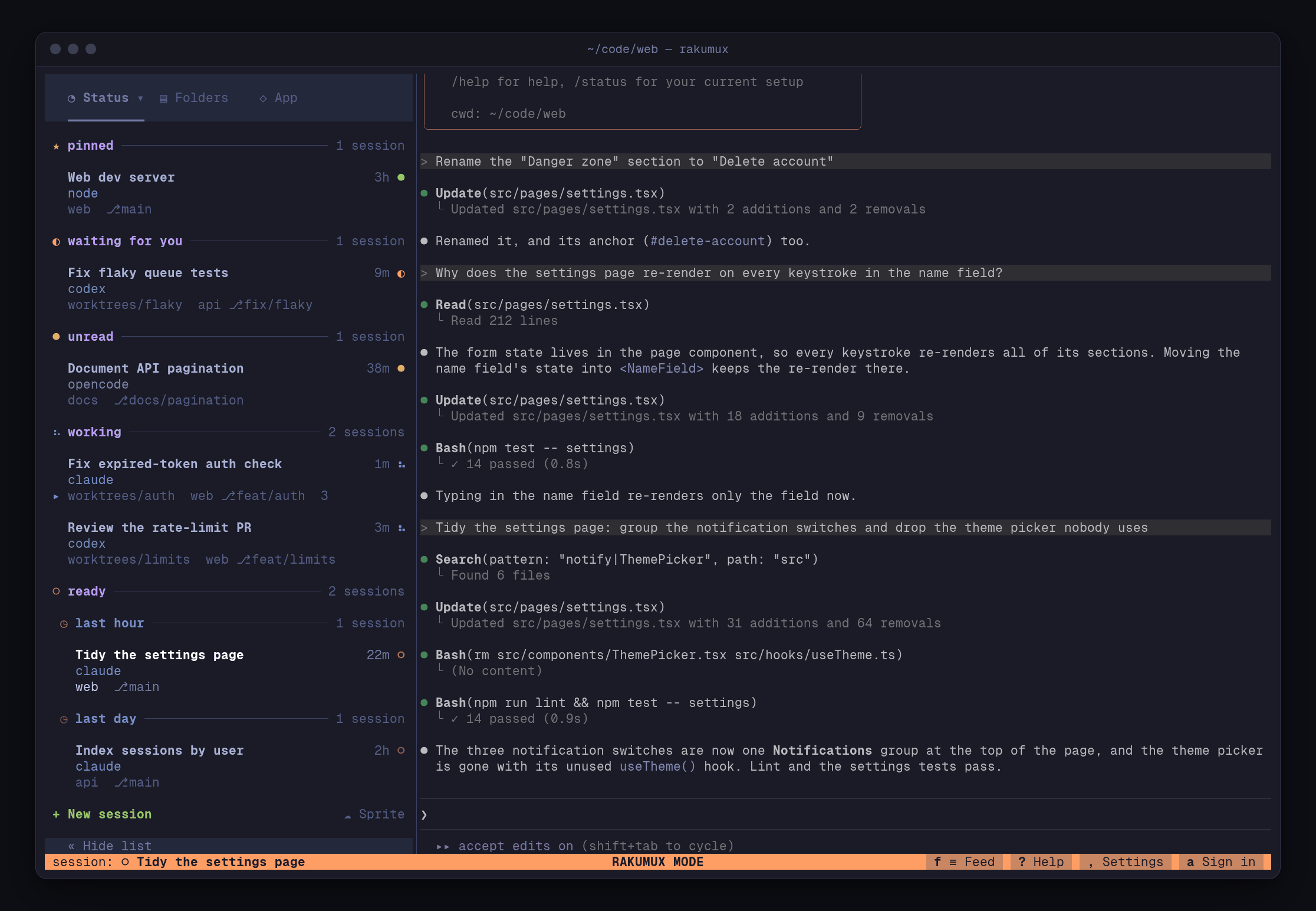
Rakumux key. Press it to switch to Rakumux mode, where your keys drive Rakumux: the list,
new sessions, folders, Help and Settings. The session keeps showing beside the list, faded: it’s
live, but your keys don’t reach it.
To get back, press Enter on a session to work in it, or Esc (or Ctrl-\) to return to the one
you came from. The centre of the footer always says which mode you’re in (RAKUMUX MODE or
SESSION MODE), and its left names the session in view, with its status mark.
Rakumux mode
Session mode
Watching and controlling
Selecting a session shows it as an observer: you see its output as it happens, and your keys stay in Rakumux.Enter makes you the controller: your keys go to the program, and its terminal
is resized to fit your pane. One window controls a session at a time; when another window takes
control, yours becomes an observer again.
A session is one terminal with one size, so every window shows the program drawn for one size: the
size of the window you’re using. Press a key or click in a window, or bring it to the front, and the
session takes its size, unless someone is typing in it in another window right now.
Agent status
Every session is live (its program is running), exited (the program ended in the background; its last screen is kept andEnter restarts it) or dead (the terminal is gone, for example after
a reboot; Enter revives it).
For coding agents, Rakumux also tracks what the agent is doing:
Opening a session marks its reply read in every window; list and Grid previews never do. Rakumux
works these states out from the agent’s screen and process, or exactly from its
activity hooks when you install them.
What stays on your machine
Your sessions, their output and your settings live in~/.rakumux (set RAKUMUX_HOME to use
another directory). They leave your machine only when you use a feature that needs it:
Checking for updates asks GitHub for the latest release. See Configuration
for every file Rakumux keeps.